Version 0 · work in progress
Your software factory in a box.
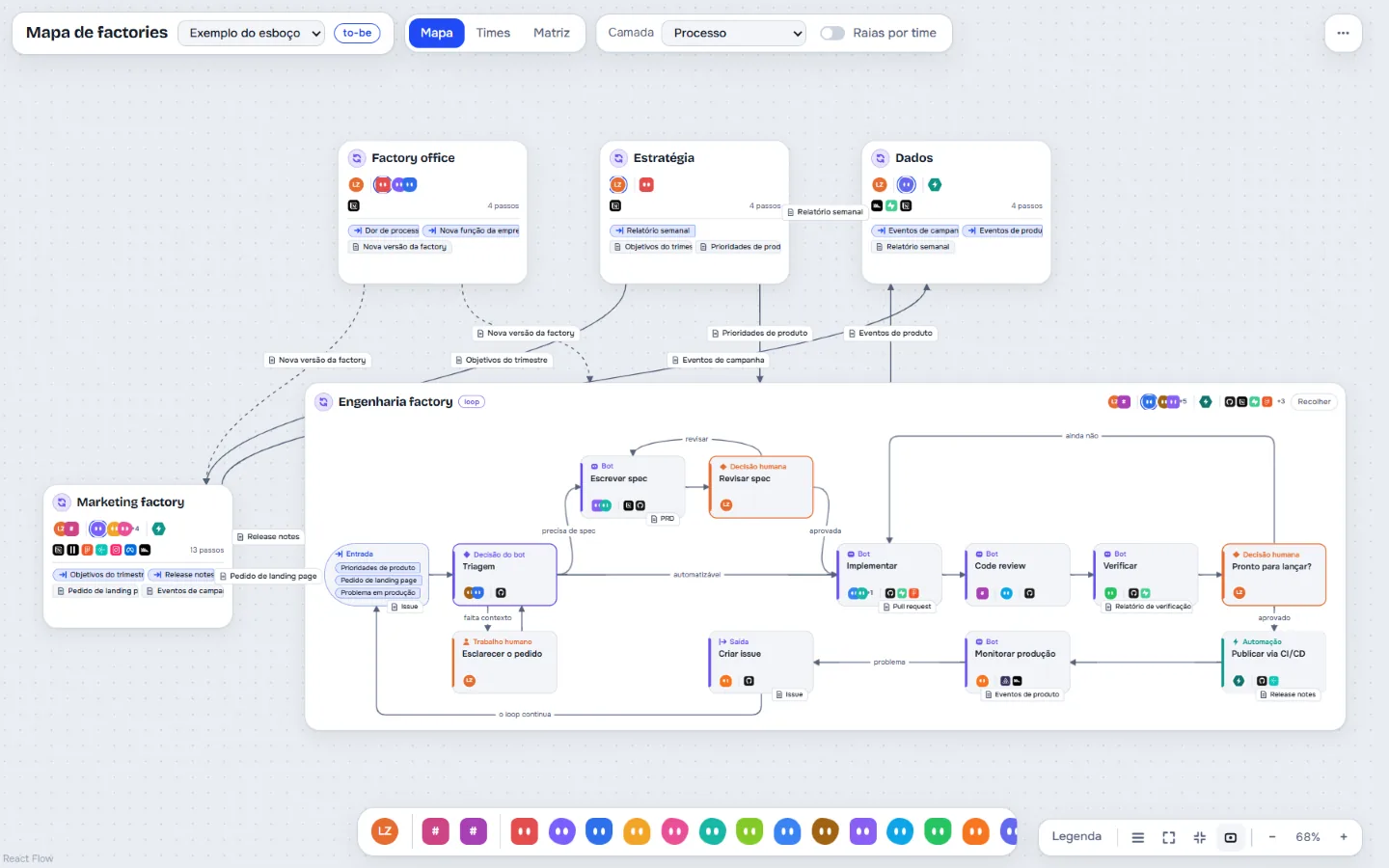
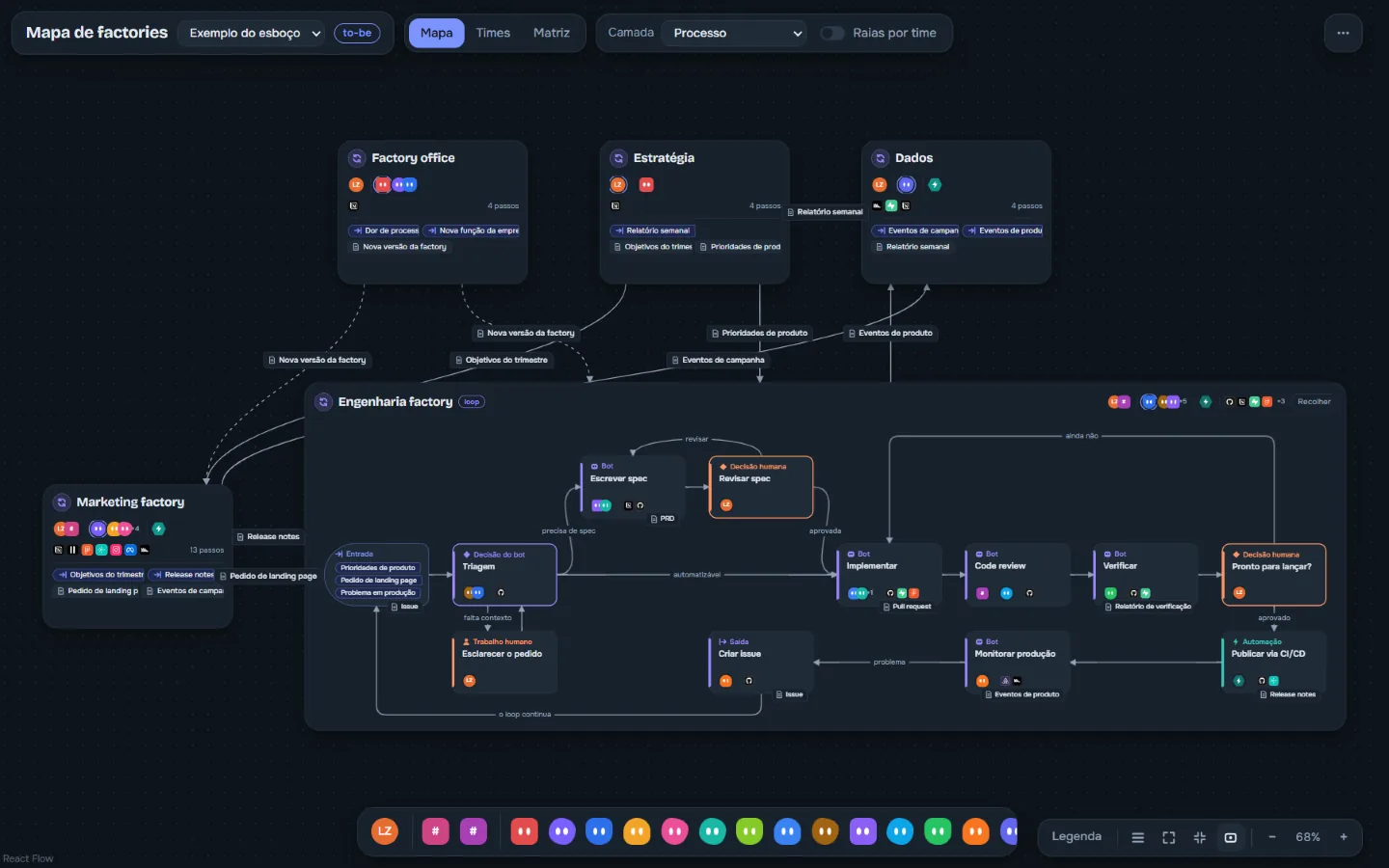
You already have agents that write, review and ship code. What you cannot see is who does what, where work gets stuck and what is broken. Shipmap draws all of it as a map that runs on your machine.
The problem
You built a factory of agents. Now you cannot see it.
-
It is all scattered
Prompts, skills, rules, hooks and workflows live in dozens of files and dashboards. None of them shows the whole flow.
-
Loops with no way out
One bot hands work to another, which hands it back. With no stop condition, work spins and you only notice on the bill.
-
The bottleneck is you
Every decision goes through the same person. It only shows once the queue is already long.
What the app shows
Processes, bots, people, automations and systems on one map.
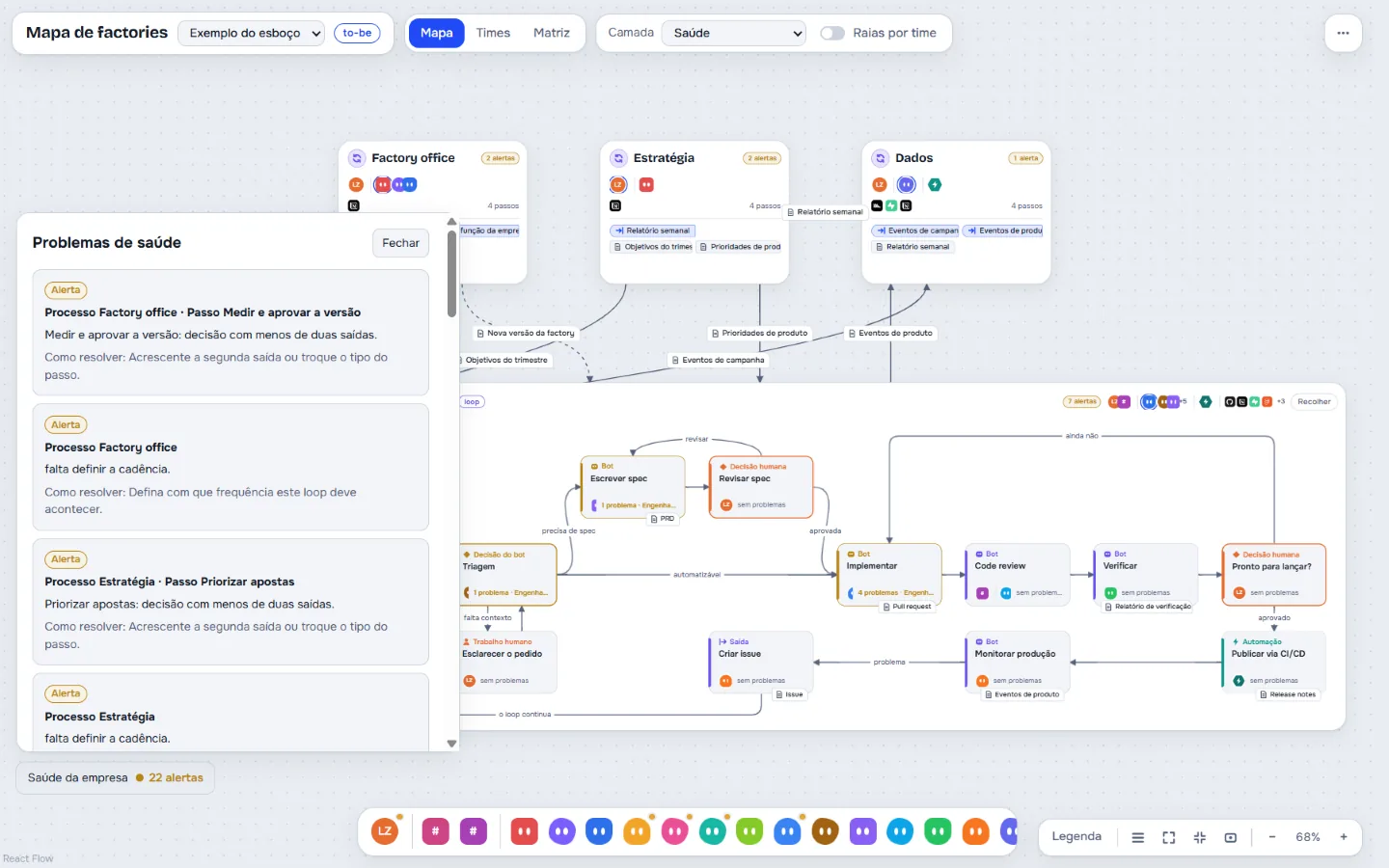
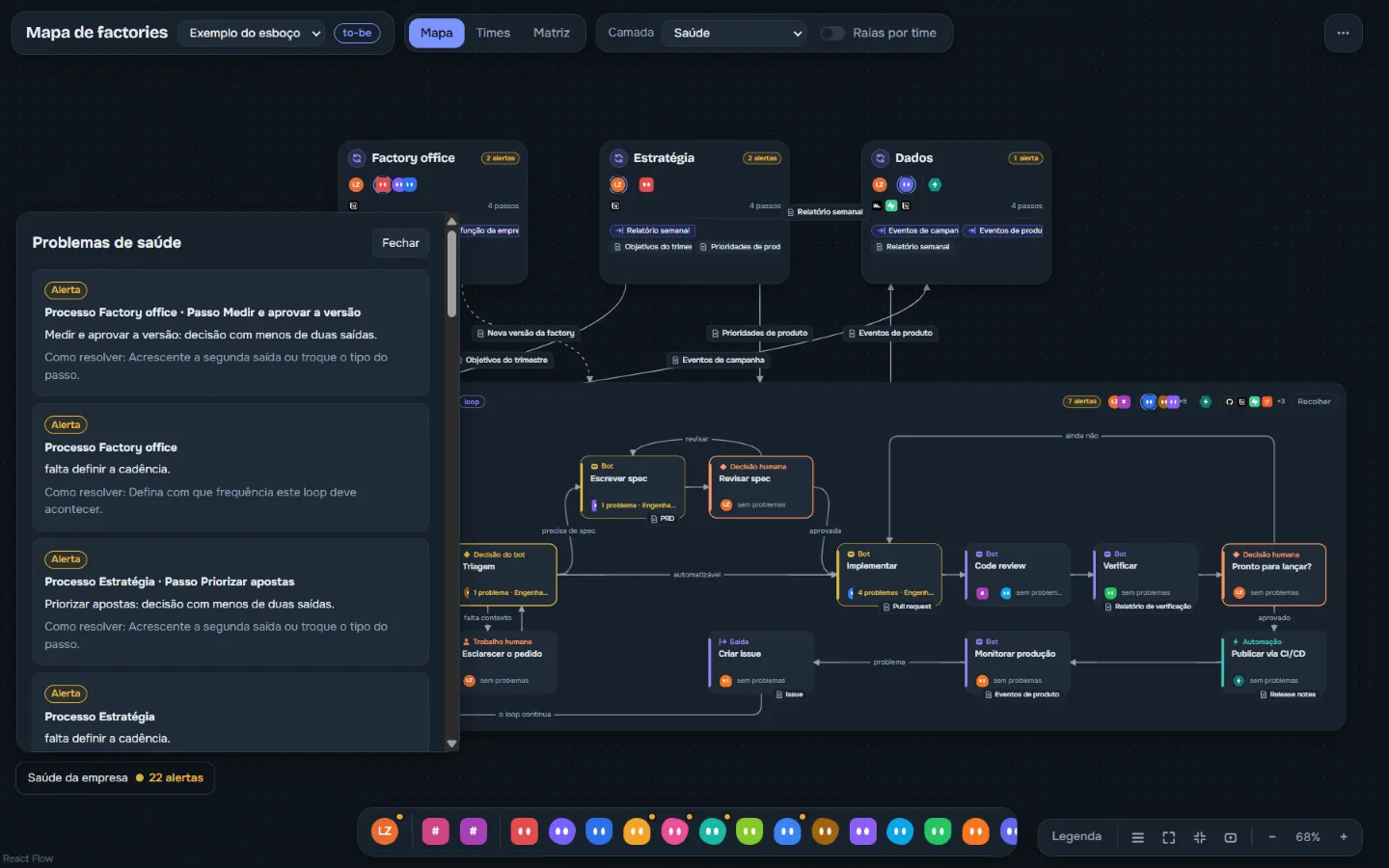
Points at what is broken, and how to fix it
The health layer checks the whole map and lists each problem with its process, its step and a suggested fix. Today it finds:
- loops with no limit or no way to give up
- decisions with a single exit
- steps with several doers and no single owner
- a doer missing the skill the step requires
- loops with no cadence set
- a person in too many steps, turning into a bottleneck
Who works on what
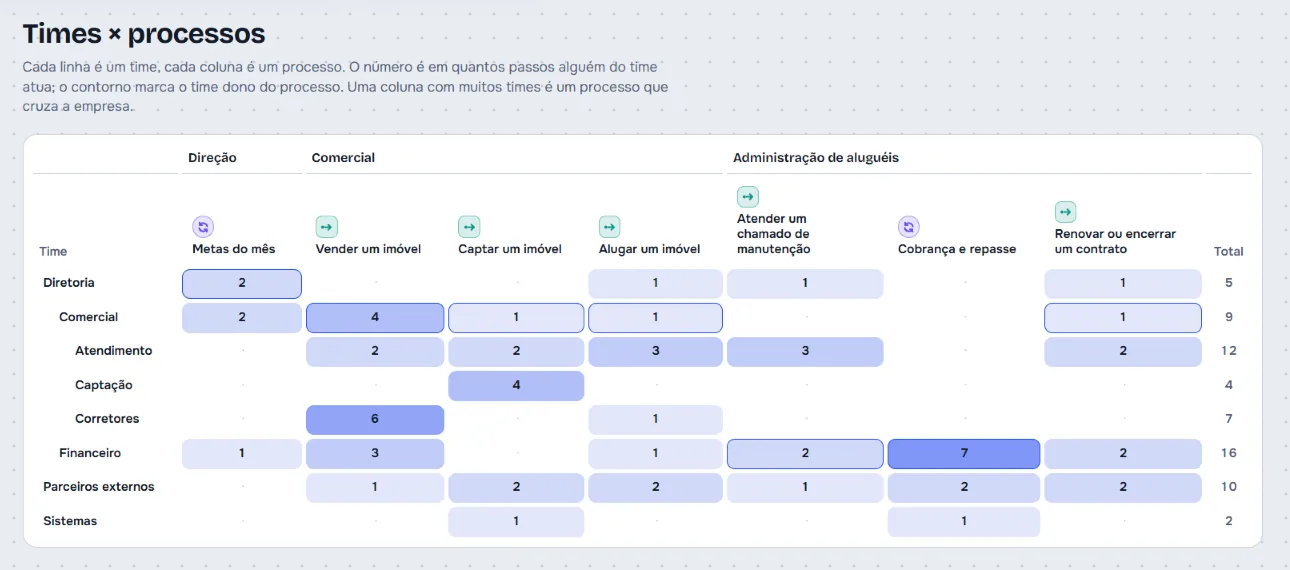
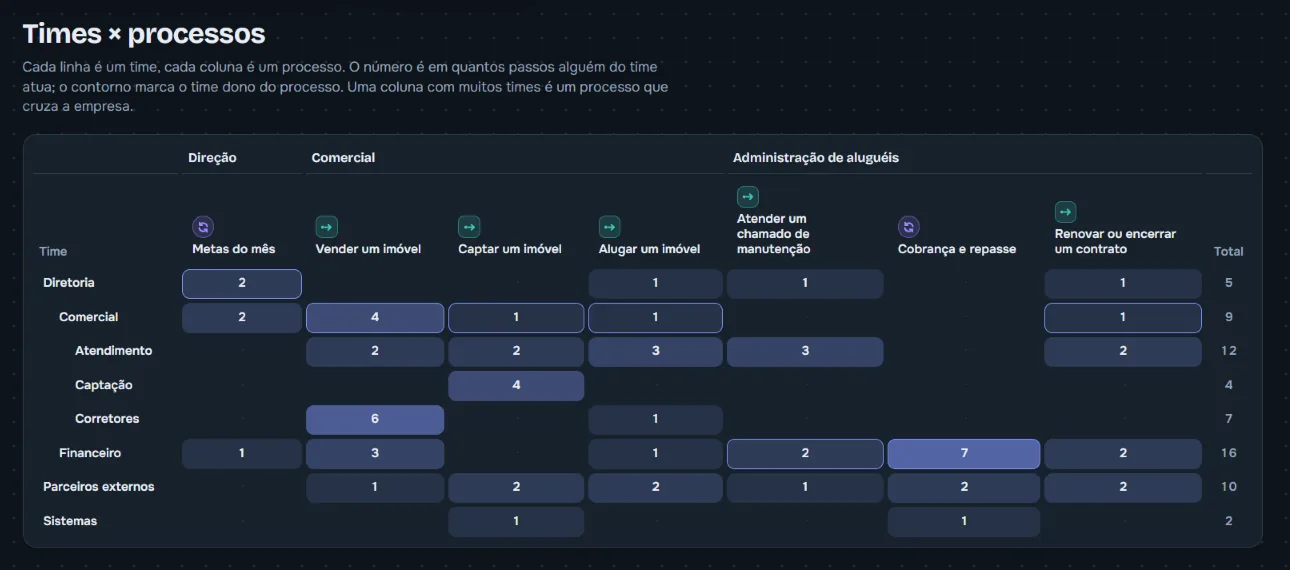
Teams, a teams × processes matrix and team swimlanes show where work crosses the company and who owns each process. The risk layer paints the same map with another question: where a mistake costs the most.
How it works
Three steps, on your machine.
-
Open the app
It runs locally, in the browser. The map is stored on your machine, and you export it to a file whenever you want.
-
Describe the factory in a file
Export one of the example maps, swap in your own processes (by hand or by asking your agent) and import it back. Each step says who runs it: a person, a bot, an automation or a system. The app does not edit the map on screen yet.
-
Fix what the map points at
The health list says what is broken and how to fix it. Every import becomes a version you can compare and restore.
About your data: today the app does not send the map to any server. When the connector arrives (coming soon), your agents will read the map, and whatever an agent reads goes to the AI provider you chose, as it already does with your code.
What exists and what is next
What works today, and what does not yet.
Works today
- Process map with flows and loops
- Teams, a teams × processes matrix and team swimlanes
- Risk and health layers, with the problem list and how to fix each one
- Systems with logos, such as GitHub, Supabase and Sentry
- Version history, with compare and restore
- Import and export the map as a file
Coming soon
- Skills, rules and triggers as items on the map
- Connector so your agents can read the map and propose changes
- Reference factory to start from scratch
Coming soon means under construction, with no promised date.
Questions
Before you ask.
Can I use it now?
There is no public download yet. This page is version 0. If you want to know when it ships, use the field at the end of the page, knowing that it does not send anything yet.
Do I need an account or a server?
No. The app runs on your machine and keeps the map in its browser. There is no account.
Does my data go anywhere?
Not today: the map stays on your machine and in the files you export. With the connector, which is coming soon, whatever your agent reads from the map goes to the AI provider you chose.
Which agents does it work with?
The map does not depend on any tool: it takes any bot, person, automation or system. Agents reading it directly depends on the connector, which is still coming soon.
Is it only for software?
The focus is the software factory, but the map works for any operation. One of the examples in the app is a fictional real estate agency.
Interest
Want to know when it ships?
Heads up: this field does not send anything yet. What you type does not leave this page and is not stored.